
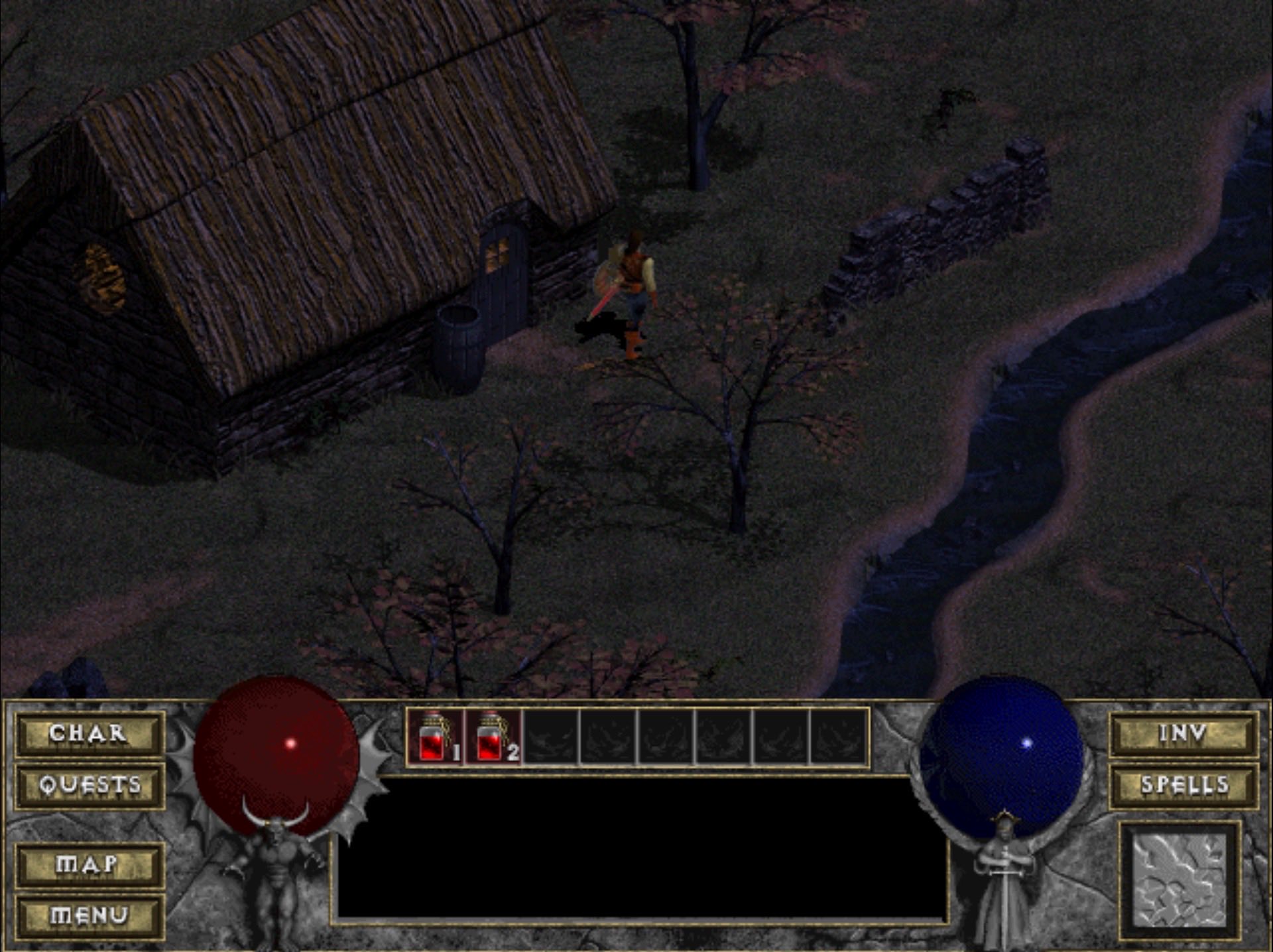
Diablo 1 Browser: Play Classic Diablo Online Free
Looking to plunge back into the dark gothic dungeons beneath Tristram directly inside your web browser? Diablo 1 Browser brings the legendary 1996 action role-playing masterpiece straight into modern desktop tabs without installing client software. Powered by modern WebAssembly compilation and a responsive React frontend, Diablo 1 Browser lets action RPG enthusiasts experience genuine hack-and-slash combat, atmospheric soundtrack, and perilous dungeon crawling across any PC platform.
What is Diablo 1 Browser?
Diablo 1 Browser, technically known as diablo_web, is an open-source web port developed by Nikita Maksimov (JohnImril), built upon the foundational Devilution and DevilutionX reverse-engineering projects and original web port work by d07RiV. Rather than serving unauthorized game downloads, Diablo 1 Browser operates on an exceptionally clean and safe dual-mode architecture. You can instantly jump into the authentic shareware demonstration version with zero prerequisites, or supply your own original game data file to unlock the full retail campaign. Because this web port relies on WebAssembly and client-side execution, all game calculations happen locally on your computer with blazing responsiveness.
- Instant Free Demo Mode: Play the legitimate original shareware demo (spawn.mpq) directly in Diablo 1 Browser with automated background downloading and zero payment required
- Load Your Own Retail MPQ: Seamlessly drop your legal DIABDAT.MPQ file from your GOG or Blizzard CD release into the game client to unlock all sixteen labyrinth floors
- Full Expansion Support: Diablo 1 Browser features comprehensive integration with the Hellfire expansion campaign for players who supply retail expansion data files
- Zero Installation Footprint: Enjoy Diablo 1 Browser across modern operating systems including Windows, macOS, Linux, and educational Chromebook computers through standard WebAssembly tabs
How to Play and Load Data in Diablo 1 Browser
Getting started with Diablo 1 Browser is exceptionally straightforward, offering two accessible paths for both newcomers and nostalgic veterans alike:
- Play Free Demo Option: Click the Play Free Demo button on the main launch screen. Diablo 1 Browser automatically fetches the compressed shareware package (spawn.mpq) into browser memory, allowing you to venture through the initial dungeon levels as the Warrior class immediately
- Load Your MPQ File: If you own a digital copy from GOG or an original retail CD, locate the DIABDAT.MPQ file on your drive. Drag and drop this file directly onto the Diablo 1 Browser drop zone, or click to select it from your file manager
- Built-in MPQ Compression Tool: The web client provides an integrated MPQ compression utility directly within the browser interface. Compressing your original game archive drastically reduces local memory consumption and accelerates startup speeds for every future session
- Client-side Data Security: Your uploaded game archives never transmit to external servers. Diablo 1 Browser processes all assets locally inside browser sandboxed storage, keeping your personal software files private and secure
Classes, Mechanics and Dungeon Crawling
Once you step foot inside the cathedral in Diablo 1 Browser, you encounter the definitive action RPG mechanics that defined the entire genre:
The Three Classic Character Classes
Choose your hero wisely when beginning your journey in Diablo 1 Browser. The Warrior excels in brutal melee combat and item repair; the Rogue delivers lethal ranged archery and innate trap disarming; the Sorcerer commands destructive elemental magic and staff recharge rituals. For Hellfire expansion players, the port also supports the Monk, Bard, and Barbarian character classes.
Labyrinth Exploration and Random Generation
Descend through sixteen procedurally generated dungeon levels divided across four distinct thematic environments: the gothic Cathedral, the eerie Catacombs, the scorched Caves, and the treacherous depths of Hell. Every delve reshuffles monster placements, environmental shrines, hidden loot chests, and quest encounters, guaranteeing infinite replay value in Diablo 1 Browser.
Loot Economy, Spells, and Equipment Progression
Collect gold, magical prefixes, unique artifacts, and ancient spell tomes as you purge demonic hordes in Diablo 1 Browser. Visit Griswold the blacksmith to repair damaged armor and forge powerful gear, seek healing herbs from Pepin, decipher forgotten knowledge with Deckard Cain, and procure arcane elixirs from Adria the witch in Tristram town.
Save File Persistence with IndexedDB
Your hero progress, equipped items, gold stash, and dungeon quest states in Diablo 1 Browser are automatically saved to your browser local IndexedDB database. You can return whenever you wish without losing progress, or use the web interface to export your save files directly to your hard drive for safe keeping.
Controls Guide and Optimal Browser Setup
Mastering Diablo 1 Browser requires understanding standard isometric action RPG keybindings and browser controls:
Controls Guide
This browser version uses standard mouse and keyboard controls. Left-click to move, attack monsters, and pick up items. Right-click to cast your active selected spell. Hold Shift while clicking to attack in place without moving your hero. Press I or B to open inventory, C for character stats, S for spellbook, and Q for your active quest log. Use number keys 1 through 8 on your keyboard belt to instantly consume healing and mana potions. Touch controls are supported for tablets, though a physical mouse remains optimal for Diablo 1 Browser.
Optimizing Browser Performance and Frame Rate
The game runs smoothly at high framerates inside modern Chromium, WebKit, and Firefox browsers. Ensure Hardware Acceleration is enabled under your browser system settings to let WebAssembly leverage your GPU. Close resource-heavy background video streams or intensive browser tabs to maintain fluid animation timing while exploring deep dungeon floors in Diablo 1 Browser.
Frequently Asked Questions
Is Diablo 1 Browser completely free to play?
Yes, Diablo 1 Browser offers a 100% free playable shareware demo mode that requires zero purchases or subscriptions. If you already own the retail game on GOG or CD, you can load your legal DIABDAT.MPQ file into the port without paying anything extra.
Do I need to download or install executable files?
No, Diablo 1 Browser runs entirely within standard web browsers using WebAssembly and HTML5 canvas technology. You never need to install third-party client launchers or unknown executable files on your operating system.
Can I play Diablo 1 Browser on Chromebook and school computers?
Yes, Diablo 1 Browser operates inside standard web browsers without needing administrative privileges or native software installations, making it playable on Chromebooks, MacBooks, and work computers.
Are my save files kept if I close the browser?
Yes, Diablo 1 Browser automatically synchronizes your character save state to browser IndexedDB storage. You can also export and download your save files directly to your computer at any time from the settings menu.