BO1 Zombies Browser: Play BO1 Zombies Online Free
Looking to play BO1 Zombies online without downloads or installations? BO1 Zombies brings the legendary Call of Duty undead experience straight to your browser tabs. Whether you want to play BO1 Zombies on a school Chromebook or revisit Kino der Toten on PC, this web edition lets you experience authentic BO1 Zombies survival with classic controls.
What is BO1 Zombies Browser?
BO1 Zombies is widely celebrated as one of the greatest horde survival modes in gaming history. Today, fans can play BO1 Zombies directly in modern web browsers thanks to a standalone community web port. Originally shared across online gaming hubs via vel.gg bo1z, this release requires no software installs, no Steam login, and no game licenses. Players can drop into BO1 Zombies unblocked on laptops, desktop computers, and school devices to enjoy classic wave-based gameplay in seconds.
- 100% Free Black Ops Zombies: Play online without buying expansion packs or subscriptions
- All 10 Iconic Maps: Complete access to every classic survival arena right from the start
- Authentic Gunplay & Physics: Original recoil, Mystery Box weapons, wall buys, and Pack-a-Punch upgrades
- Unblocked Web Access: Play Black Ops Zombies on Chromebooks and work computers with hardware acceleration
All 10 Maps in BO1 Zombies
A major highlight of this BO1 Zombies browser release is that every single arena is unlocked and ready to play. In the original 2010 release, players had to purchase four DLC packs, but here all survival arenas are available immediately:
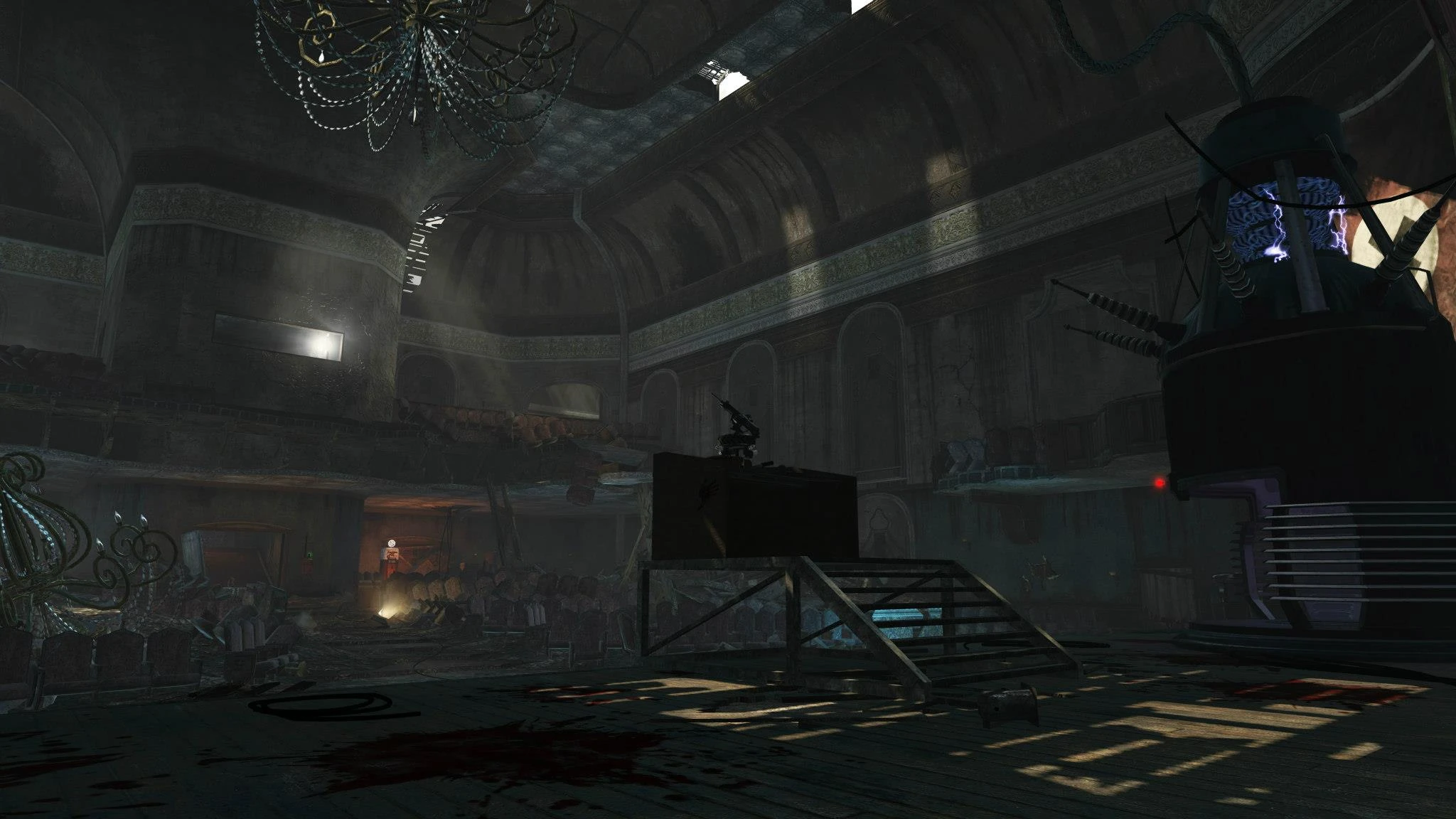
- Kino der Toten: The ultimate survival arena featuring the iconic stage teleporter and MP40 training routes
- Five: Fight through the Pentagon in this intense challenge featuring the elusive Pentagon Thief
- Ascension: A beloved arena set in a Soviet cosmodrome with Lunar Landers and Space Monkeys
- Call of the Dead: Battle across frozen Siberian shores against George A. Romero in this expansive survival map
- Shangri-La: Navigate shifting spike traps and temple ruins in one of the most challenging environments
- Moon: Experience low-gravity gameplay, deadly decompression zones, and the Wave Gun in this climax mission
- Nacht der Untoten: The eerie World at War bunker where the saga began, faithfully preserved
- Verrückt: Close-quarters combat inside a dark Berlin asylum designed for hardcore veterans
- Shi No Numa: Traverse wooden swamp bridges and battle Hellhound packs in this fan-favorite Black Ops Zombies swamp
- Der Riese: The legendary Nazi research facility featuring Pack-a-Punch teleporters that defined modern survival
Essential Mechanics in BO1 Zombies
Surviving high rounds in BO1 Zombies requires masterclass knowledge of the point economy, perk machines, and weapon tiers:
Point Economy & Wall Buys in Undead Mode
Every the game round starts with an M1911 pistol. Earn essential points by shooting and knifing early walkers, then open doors and clear barriers to purchase essential wall guns like the Olympia, M14, and MP40.
The Mystery Box & Wonder Weapons
Locate the glowing Mystery Box beam in your the game match. For 950 points, roll for game-changing wonder weapons like the Ray Gun, Thundergun, or Galil to conquer high-round hordes in this game.
Perk-a-Cola Vending Machines
Restoring power enables vital perk machines across every the game map. Prioritize Juggernog for quadruple health, Speed Cola for rapid reloads, and Quick Revive for solo survival in intense matches.
Pack-a-Punch Weapon Upgrades
Link the teleporters across the game maps like Kino der Toten and Der Riese to access the Pack-a-Punch station. Investing 5,000 points upgrades standard firearms into devastating laser-firing variants that keep you alive during high rounds.
How to Play BO1 Zombies with Optimal Performance
To maintain smooth 60 FPS gameplay in BO1 Zombies, configuring your browser graphics properly is crucial:
Step 1: Turn On Browser Hardware Acceleration
Hardware acceleration is vital for rendering 3D graphics smoothly in this game. In Google Chrome and Microsoft Edge, navigate to Settings → System → toggle 'Use graphics acceleration when available' to On. In Mozilla Firefox, enable hardware acceleration under Settings → General → Performance to eliminate stuttering in the game.
Step 2: Controls & Keyboard Focus
Once your match loads, click inside the canvas to lock mouse aim. Enjoy standard FPS controls: WASD to walk, Mouse to aim and shoot, R to reload, Space to jump, Shift to sprint, F to interact/purchase items, and Esc to pause your the game session.
Step 3: Stutter & Lag Troubleshooting
If you notice frame drops during dense horde waves in Chrome, try launching the game in Edge or Firefox. Closing unnecessary background tabs and video players will keep the action performing at maximum framerate.
BO1 Zombies Training & Survival Strategies
Surviving past round 30 in BO1 Zombies demands disciplined movement and advanced zombie kiting strategies:
Mastering the Zombie Train in Undead Mode
Never stand still in open areas. Guide the horde behind you in smooth circular loops without firing until all enemies gather in a compact line. Popular the game training spots include the Stage in Kino der Toten and the rocket pads in Ascension.
Conserving Ammunition in High Rounds
Late-stage undead absorb heavy gunfire. Conserve ammo in this game by utilizing map traps, electric fences, and Pack-a-Punch wonder weapons to wipe entire waves for fixed point costs.
Frequently Asked Questions About BO1 Zombies
Is BO1 Zombies free to play?
Yes! the game is completely free with no hidden microtransactions or subscriptions. You can play BO1 Zombies online instantly without creating an account.
Does this BO1 Zombies release support online multiplayer?
Currently, this web version is designed specifically for solo single-player survival. Online co-op matchmaking is not supported.
Can I play BO1 Zombies unblocked on Chromebooks?
Yes. Because the game runs directly inside web browsers without downloading external files, it is one of the best ways to enjoy BO1 Zombies unblocked during study breaks.
Do I need to install any launcher or executable?
No downloads are required to play BO1 Zombies. Always play directly in the browser window and avoid suspicious sites that ask you to download third-party launcher software for BO1 Zombies.