
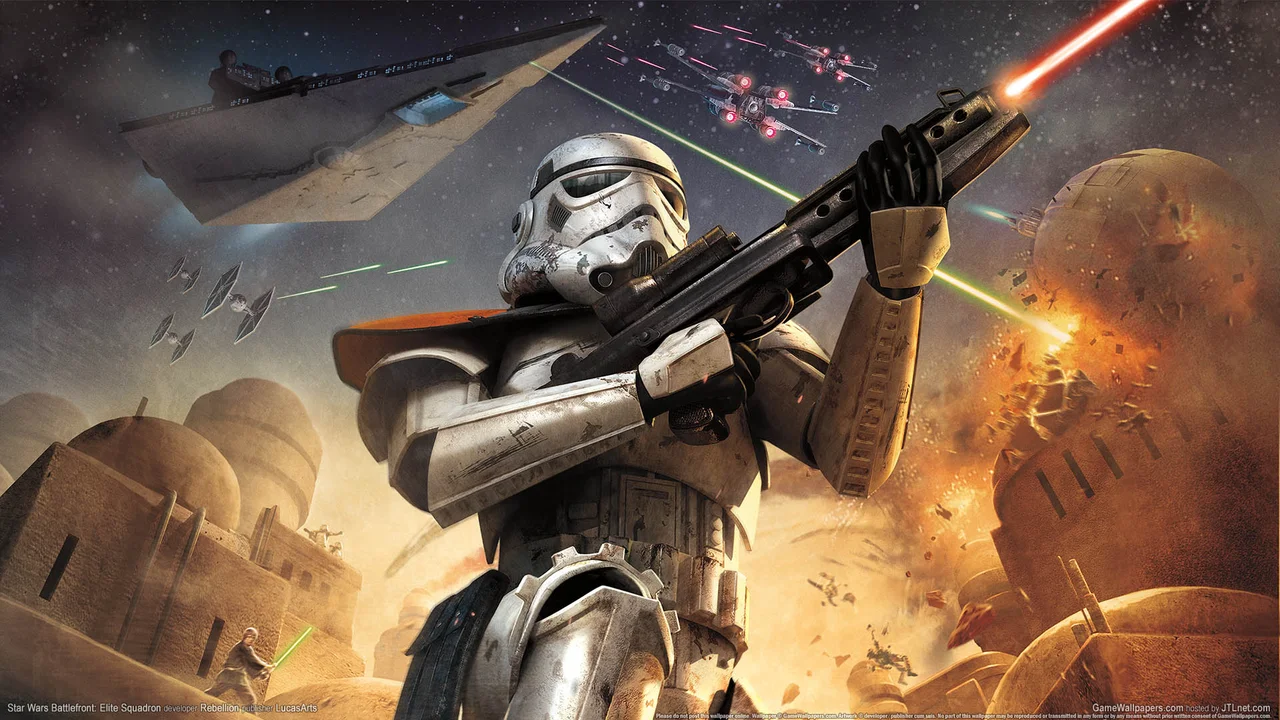
Star Wars Battlefront 2004: Play Classic Galactic Warfare in Your Browser
Star Wars Battlefront 2004 drops you straight onto the frontlines of the Clone Wars and Galactic Civil War without waiting for a legacy console setup. Originally developed by Pandemic Studios and published by LucasArts in September 2004, Battlefront 2004 pioneered large-scale combined-arms Star Wars combat where infantry squads, armored walkers, speeder bikes, and starfighters clash over strategic Command Posts. This instant-play PS2 browser edition hosted via olivers.tools lets you jump right into solo campaigns or multiplayer skirmishes directly from a modern web tab.
What Is Star Wars Battlefront 2004?
When Pandemic Studios built Battlefront 2004, they blended massive battlefield conquest mechanics with authentic Star Wars planets, weapons, and vehicles. Rather than scripting linear corridor levels, Battlefront 2004 places two opposing armies on open maps spanning ten classic planets—including Hoth, Endor, Naboo, Geonosis, Kamino, Kashyyyk, Tatooine, Yavin 4, Rhen Var, and Bespin. Every soldier on the field counts toward a shared reinforcement ticket pool. You win a Battlefront 2004 match either by depleting the enemy faction's reinforcement counter to zero or by capturing and holding every single Command Post on the map until the countdown timer expires.
- Four Playable Factions: Fight across two distinct movie eras as the Galactic Republic, the Confederacy of Independent Systems (CIS), the Rebel Alliance, or the Galactic Empire.
- Combined-Arms Vehicle Combat: Climb into AT-ST walkers, AT-TE heavy artillery, 74-Z speeder bikes, TX-130 Saber-class fighter tanks, X-wings, TIE fighters, and Y-wing bombers.
- Instant Browser Emulation: This PS2 browser build launches immediately in your web tab without asking you to source external BIOS files or configure local emulator plugins.
- Third-Person and First-Person Views: Switch perspectives on the fly depending on whether you are clearing tight corridors on Bespin Platforms or scanning distant ridges on Hoth.
Game Modes: Historical Campaigns, Galactic Conquest, and Instant Action
Battlefront 2004 offers three core ways to play, giving both solo tacticians and quick-session players plenty of variety. Historical Campaigns walk you through chronological battles from Episode I through Episode VI, pairing objective briefings with iconic movie clashes like the Battle of Naboo plains, the dusty arenas of Geonosis, and the snowy trenches of Echo Base. Galactic Conquest turns Battlefront 2004 into a strategic tug-of-war across the galaxy map: you conquer planets turn by turn, accumulate planetary bonuses—such as sabotage, Jedi hero support, or reinforcement boosts—and invade enemy strongholds until one faction controls every star system. If you just want immediate action, Instant Action lets you build a custom playlist of any maps and eras in Battlefront 2004 and jump straight into combat.
- Historical Campaigns: Relive major battles from the Prequel Trilogy and Original Trilogy with era-specific objectives and reinforcements.
- Galactic Conquest Strategy: Plan planetary invasions on a strategic star map and spend faction bonuses to turn desperate engagements in your favor.
- Instant Action Playlists: Mix and match any of the 16 battlefields across ten planets for quick solo or multiplayer skirmishes.
- Non-Playable Hero Allies: Watch legendary commanders like Mace Windu, Count Dooku, Luke Skywalker, and Darth Vader wade into battle alongside your troops.
Factions, Trooper Classes, and Special Units
Every faction in Battlefront 2004 fields five distinct trooper classes: four standard archetypes shared across armies plus one signature specialist unit unique to that faction. Learning when to switch classes at a friendly Command Post is the fastest way to swing a losing round in Battlefront 2004. Standard infantry carry reliable blaster rifles and thermal detonators for frontline pushes, while Heavy Weapons specialists pack rocket launchers, mines, and concussion missiles designed to crack enemy armor and turret emplacements. Pilots and Technicians keep your vehicles alive with fusion cutters and deployable health and ammo dispensers, whereas Snipers pick off entrenched gunners from high ground and call in orbital recon drones.
- Galactic Republic Jet Trooper: Armed with an EMP launcher and an airborne jetpack ideal for seizing elevated Command Posts on Kamino and Bespin.
- CIS Droideka: Rolls rapidly across open terrain in wheel form before unfolding twin repeating blasters and a personal deflector shield.
- Rebel Alliance Wookiee Smuggler: Carries a devastating bowcaster, grenade launcher, and time bombs capable of wrecking Imperial walkers.
- Galactic Empire Dark Trooper: Uses a high-thrust jump pack and blast cannon to flank Rebel defenders and scatter clustered infantry.
Controls & Battlefield Survival Guide
Because this version of Battlefront 2004 runs inside an in-browser PS2 environment, exact keyboard and controller mappings follow the active on-screen emulator interface. Connecting a standard USB or Bluetooth gamepad provides twin-stick aiming and vehicle flight handling that feels just like original console hardware.
Browser Controls & Input Setup
Click inside the game canvas to lock focus before pressing Start at the title screen. Exact keyboard bindings depend on the in-browser interface prompts, while Xbox, PlayStation, and Switch Pro controllers are detected automatically through the browser Gamepad API for analog movement, aiming, and vehicle throttle.
Capturing Command Posts & Anti-Armor Tactics
In Battlefront 2004, neutral gray Command Posts are free real estate at the start of a round—grab them immediately with a fast unit or speeder bike. When fighting armored walkers on Hoth or Geonosis, aim rockets at neck joints, rear plating, or ventral weak spots rather than wasting ammo on heavy front armor. Remember that AI heroes in Battlefront 2004 are nearly unstoppable against standard blaster fire, so use lethal explosives, vehicle impacts, or narrow bridge knockbacks on Bespin Platforms to eliminate them.
Frequently Asked Questions
Do I need to upload my own PS2 ISO to play Battlefront 2004 here?
No. This Battlefront 2004 browser port is pre-configured as an instant-play experience via olivers.tools, so the game loads directly inside your web tab without requiring local disc images.
Can I play Star Wars Battlefront 2004 with a controller in my browser?
Yes. Modern Chromium and Firefox browsers recognize standard USB and Bluetooth controllers as soon as you press a button, which makes piloting starfighters and speeder bikes in Battlefront 2004 much smoother.
Why are Jedi and Sith not directly playable in Battlefront 2004?
In the original Battlefront 2004 design by Pandemic Studios, iconic Force users like Luke Skywalker, Darth Vader, Mace Windu, and Count Dooku appear as powerful AI-controlled field commanders rather than player-selected units.
How do I improve frame rate if Battlefront 2004 stutters on first load?
Allow the initial asset stream and shader compilation to finish during your first minute in Battlefront 2004, close heavy background tabs, and make sure hardware acceleration is enabled in your browser settings.